How to Evaluate a dvLED Solution Beyond Pixel Pitch
Pixel pitch is often the first specification buyers compare when evaluating a direct-view LED display. However, it cannot tell you how the complete display will perform after installation.
Two dvLED solutions with the same pixel pitch and resolution can deliver very different results because of differences in LED quality, driver design, calibration, mechanical tolerances, video processing, thermal management and maintenance access.
To evaluate a dvLED solution properly, consider seven areas:
- Application requirements
- Image performance
- Mechanical accuracy
- Video processing and control
- Power and thermal design
- Maintenance and spare parts
- Lifecycle support and total cost of ownership
The best dvLED solution is not necessarily the one with the smallest pixel pitch. It is the one that delivers the required visual performance, integrates correctly with the project and remains serviceable throughout its operating life.
What Does Pixel Pitch Actually Tell You?
Pixel pitch is the distance, measured in millimeters, between the centers of two adjacent LED pixels.
A smaller pixel pitch provides greater pixel density within the same physical area. This can be useful for close viewing distances, detailed content and applications that require higher resolution.
However, pixel pitch does not directly tell you:
- How the screen performs at low brightness
- Whether dark gradients are displayed smoothly
- How consistent the color is across different modules
- Whether visible seams will appear after installation
- How the image changes from different viewing angles
- Whether the screen is suitable for cameras
- How much latency the complete signal chain introduces
- How heat will be removed from the display
- How quickly failed components can be replaced
- Whether replacement modules will match the original batch
A viewing-distance formula can provide a starting point, but it should not replace an application-specific evaluation.
1. Start with the Application, Not the Product Specification
Before comparing LED products, define what the display must accomplish.
Important questions include:
- What type of content will be displayed?
- What is the closest and typical viewing distance?
- Will the audience view the display from the center or from wide angles?
- What are the ambient lighting conditions?
- Will the display show video, text, data, simulations or interactive content?
- Will cameras be used in front of the screen?
- What is the required screen size and aspect ratio?
- How many hours per day will the display operate?
- Is front or rear maintenance available?
- Does the system require signal or power redundancy?
A corporate boardroom, television studio, museum, simulator and immersive LED dome may all use fine-pitch LED technology, but they should not be evaluated using the same criteria.
The application determines which specifications actually matter.
2. Evaluate Image Performance at the Intended Operating Brightness
Maximum brightness is easy to measure, but many indoor dvLED displays operate far below their maximum output.
The display should therefore be evaluated at the brightness level expected in the final installation.
Low-brightness grayscale
At reduced brightness, some displays may show:
- Uneven dark areas
- Color shifts
- Lost shadow detail
- Abrupt grayscale transitions
- Flicker or scan artifacts
- Different behavior between modules
Ask the supplier to show black-to-gray ramps and dark video content at the intended operating brightness.
Color consistency
Color should remain consistent:
- Across individual modules
- Between cabinets
- From the center to the edges
- At different brightness levels
- After replacing a module
A specification sheet may describe the color gamut, but it does not show whether the complete display has been calibrated successfully.
Viewing-angle performance
A wide viewing-angle specification does not always guarantee that brightness and color remain consistent from every direction.
Evaluate the screen from:
- The intended eye point
- The left and right sides
- Higher and lower viewing positions
- The closest audience position
Viewing-angle performance becomes especially important for curved displays, LED spheres and domes, where audiences may see the LED pixels from many different directions.
Motion performance
Test the display with moving images rather than only static promotional content.
Look for:
- Motion tearing
- Flicker
- Scan lines
- Inconsistent brightness during movement
- Processing artifacts
- Camera-related banding, if applicable
Refresh rate, input frame rate and actual content frame rate are different parts of the system. A high refresh-rate specification alone does not guarantee smooth motion or correct frame delivery.
3. Inspect Mechanical Accuracy and Surface Quality
The mechanical system has a direct effect on image quality.
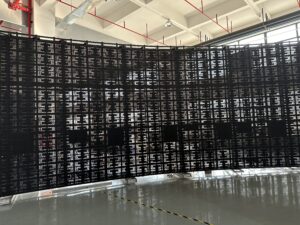
For a flat LED wall, an uneven supporting surface can cause visible cabinet steps, inconsistent gaps and dark or bright seams. The mounting structure must provide enough adjustment to compensate for real construction tolerances.
Check:
- Wall or structural flatness
- Cabinet manufacturing tolerances
- Module-to-module alignment
- Cabinet-to-cabinet alignment
- Adjustment range
- Installation access
- Screen edges and corners
- Visible seams under bright and dark content
For curved and immersive displays, the requirements become more complex.
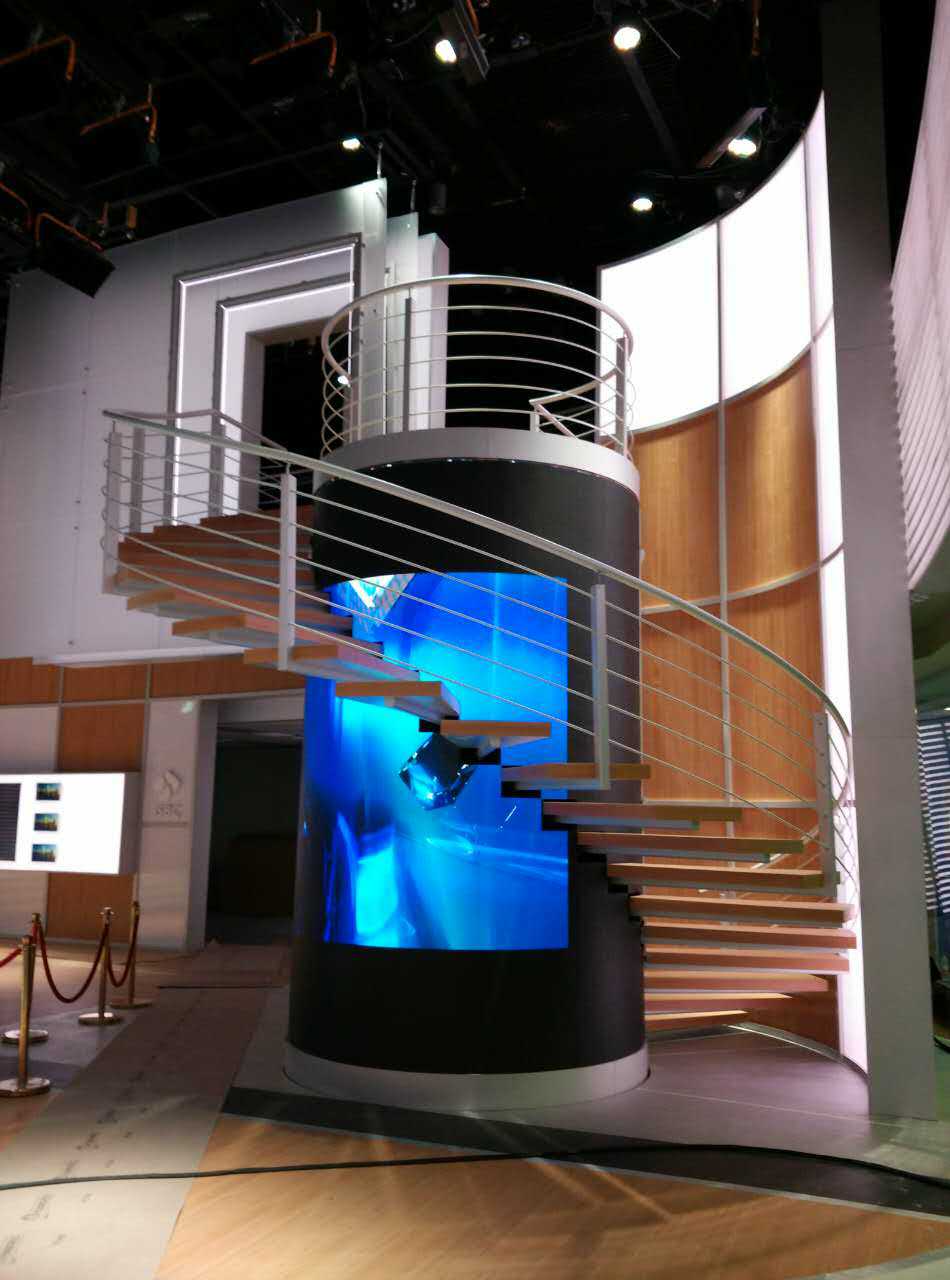
A curved display should be evaluated according to its actual geometry, not only its nominal radius. Multiple flat cabinets arranged at angles may create a faceted surface rather than a continuous curve.
For LED domes, spheres and simulators, confirm:
- The design eye point
- Actual curvature
- Pixel spacing across transitions
- Geometric accuracy
- Module orientation
- Surface continuity
- Content-mapping method
In these applications, a visually acceptable surface is not always a geometrically accurate surface.
4. Evaluate the Complete Processing and Control Architecture
A dvLED screen does not operate independently. It is part of a signal chain that may include media servers, video processors, controllers, receiving cards, network switches and control platforms.
Confirm the following before selecting the LED solution:
- Total physical resolution
- Input and output resolutions
- Required frame rate
- Signal format
- Bit depth
- HDR workflow
- Scaling requirements
- Latency
- Genlock or frame synchronization
- Redundancy
- API and control-system compatibility
- Remote monitoring capability
The LED controller must have enough capacity for the complete display, including any backup configuration.
For non-standard screen dimensions, the content resolution and aspect ratio should also be discussed early. A custom-shaped LED display may require specially created content rather than ordinary 16:9 video.
For domes and spheres, the media server must map the source content to the physical pixel positions of the display. The LED controller cannot correct the entire geometric problem by itself.
5. Review Power Distribution and Thermal Management
Power consumption affects the electrical infrastructure, operating cost, heat load and long-term reliability of the system.
Do not evaluate only the maximum power figure.
Ask for:
- Maximum power consumption
- Typical operating power
- Power consumption at the intended brightness
- Number and rating of electrical circuits
- Power distribution by screen zone
- Grounding requirements
- Surge protection
- Power redundancy
- Heat output
- Ventilation requirements
- Temperature-monitoring method
The location of power supplies also matters.
Installing every power supply directly behind the LED surface may simplify short cable runs, but it can increase heat concentration and make maintenance more difficult.
Remote or centralized power systems may reduce heat and screen depth, but voltage drop, cable distance, conductor size and maintenance access must be calculated properly.
For large displays, power and signal systems should be divided into manageable zones. A single component failure should not unnecessarily interrupt the complete display.
6. Understand Maintenance Before Approving the Design
Maintenance should be planned before the screen is manufactured.
Confirm whether components can be accessed from the front, rear or both sides.
Ask the supplier to demonstrate how to replace:
- An LED module
- A power supply
- A receiving card
- A hub board
- A signal cable
- A power cable
Also confirm:
- How much maintenance space is required
- Whether special tools are needed
- How modules are secured
- Whether overhead modules use safety tethers
- How spare parts are identified
- How calibration data is restored
- How replacement modules are matched to the original batch
- Whether remote diagnostics are available
For a standard flat display, spare modules may be interchangeable across the screen.
For a custom dome, sphere or architectural display, different areas may use different module shapes. The spare-parts plan must therefore identify which module types are required and where they can be installed.
7. Compare Lifecycle Support, Not Only Purchase Price
The initial hardware price is only one part of the total project cost.
A lower-priced display may become more expensive if it requires:
- Additional structural modifications
- More processing equipment
- More installation time
- Frequent recalibration
- Difficult maintenance access
- Expensive replacement components
- Overseas technical support for every service issue
- Early replacement because spare parts are unavailable
Evaluate the manufacturer or solution provider’s ability to support the complete project lifecycle:
- Concept and drawing review
- Structural coordination
- Resolution planning
- Factory pre-assembly
- Installation supervision
- On-site commissioning
- Operator training
- Remote technical support
- Local repair capability
- Spare-parts management
- Warranty response
- Long-term calibration support
A reliable supplier should be able to explain not only how the screen is manufactured, but also how it will be installed, operated and maintained.
Preconfigured or Custom dvLED: Which Is More Appropriate?
| Evaluation area | Preconfigured dvLED | Custom dvLED system |
|---|---|---|
| Screen dimensions | Standard sizes | Project-specific |
| Aspect ratio | Usually 16:9 | Standard or non-standard |
| Resolution | Predetermined | Designed around the project |
| Installation | Relatively straightforward | Requires detailed coordination |
| Processing | Usually included | Selected according to resolution and workflow |
| Content | Standard video formats | May require custom content |
| Structure | Standard mounting system | Custom steel or aluminum structure |
| Maintenance | Standardized | Must be planned around the geometry |
| Best suited for | Meeting rooms, classrooms and standard spaces | Immersive rooms, studios, museums, domes, spheres and architectural displays |
Preconfigured systems can reduce design and installation complexity. Custom systems provide greater flexibility but require much more coordination between the LED supplier, integrator, structural team, content team and end user.
A Practical dvLED Evaluation Matrix
When comparing suppliers, use a weighted evaluation rather than selecting the lowest price or smallest pixel pitch.
| Evaluation category | Suggested weighting |
|---|---|
| Application fit | 15% |
| Image performance | 25% |
| Mechanical design | 15% |
| Processing and integration | 15% |
| Power and thermal design | 10% |
| Maintenance and spare parts | 10% |
| Lifecycle support and total cost | 10% |
The weighting can be adjusted according to the application.
For example, camera performance may receive greater weight in a broadcast studio, while geometric accuracy and latency may be more important in a simulator.
What Should Be Tested Before Purchasing a dvLED Display?
Whenever possible, evaluate a full-size sample or representative display using the proposed LED module, receiving card, controller and processing configuration.
Use the same test content for every supplier.
Recommended test material includes:
- Full white, red, green and blue images
- Low-gray test patterns
- Black-to-gray ramps
- Smooth color gradients
- Natural skin tones
- Fine text and detailed graphics
- Slow-moving images
- Fast-moving video
- Dark cinematic content
- Camera tests, when relevant
Perform the test at:
- The intended operating brightness
- The closest viewing distance
- The normal viewing position
- Wide off-axis positions
- The expected ambient lighting level
The evaluation should also include practical system tests:
- Replace one LED module
- Restore its calibration
- Disconnect the primary signal path
- Test the backup signal
- Power-cycle one display zone
- Check temperature monitoring
- Confirm remote system status
- Inspect the screen after extended operation
The objective is not simply to produce a good demonstration image. It is to verify how the complete dvLED system behaves under real operating conditions.
Additional Requirements for Curved and Immersive LED Systems
Custom curved displays, LED domes and LED spheres require additional evaluation because the physical geometry affects the visual result.
Ask the following questions:
- Is the surface a true curve or a series of flat facets?
- What is the design eye point?
- How is geometric accuracy measured?
- How are pixels arranged across different curves?
- How is color consistency maintained from different angles?
- How is content mapped to the physical LED surface?
- Where are the power supplies and controllers located?
- How can individual modules be serviced?
- Has the system been pre-assembled before shipment?
- How will the complete display be calibrated on site?
For acoustically transparent LED systems, the screen must also be evaluated together with the loudspeakers, supporting structure and acoustic design.
The LED display and the audio system should not be treated as separate systems.
Frequently Asked Questions
Is a smaller pixel pitch always better?
No. A smaller pixel pitch provides higher pixel density, but it also increases hardware cost, processing requirements and system complexity. The correct pixel pitch depends on viewing distance, content, screen size and application requirements.
How should pixel pitch be selected?
Start with the closest viewing distance and the level of detail required by the content. Then evaluate the display using representative material at the intended brightness and viewing positions. Viewing-distance formulas should be treated as initial guidelines rather than final acceptance criteria.
Why should low-grayscale performance be tested?
Many indoor LED displays operate at reduced brightness. Low-grayscale testing reveals whether the display can reproduce shadow detail, smooth gradients and neutral colors under realistic operating conditions.
Are refresh rate and content frame rate the same?
No. Refresh rate describes how frequently the LED display refreshes its pixels, while frame rate describes how many unique video frames are delivered each second. Both must be considered together with the controller, processing system and content source.
Why does mechanical accuracy affect image quality?
Misaligned cabinets or modules can create visible bright lines, dark lines, steps and inconsistent pixel spacing. In curved displays, mechanical errors can also cause geometric distortion.
What should be included in a dvLED quotation?
A complete quotation should clearly identify the LED modules or cabinets, controllers, receiving cards, power supplies, mounting structure, cables, spare parts, calibration, installation support, commissioning, warranty and exclusions.
How should two dvLED quotations be compared?
Create a common scope of supply and evaluation matrix. Compare the same technical requirements, accessories, service responsibilities and acceptance tests rather than comparing only the price per square meter.
Final Takeaway
Pixel pitch is important, but it is only one part of a complete dvLED system.
A professional evaluation should consider the application, image quality, structure, processing, power, thermal design, maintenance and long-term support together.
Before making a final decision, ask each supplier to demonstrate the proposed system under realistic operating conditions and explain how it will be installed, calibrated and maintained.
If you are planning a flat, curved or immersive LED display, Durway can help review the screen geometry, viewing distance, resolution, content workflow, control system and maintenance requirements before the final product is selected.
Share your project drawings, application and expected viewing conditions with us to begin the evaluation.