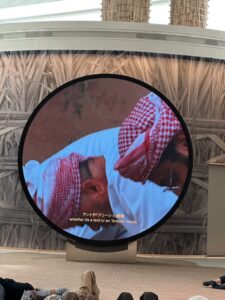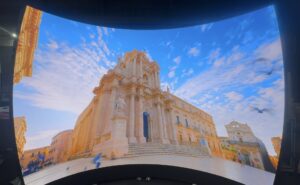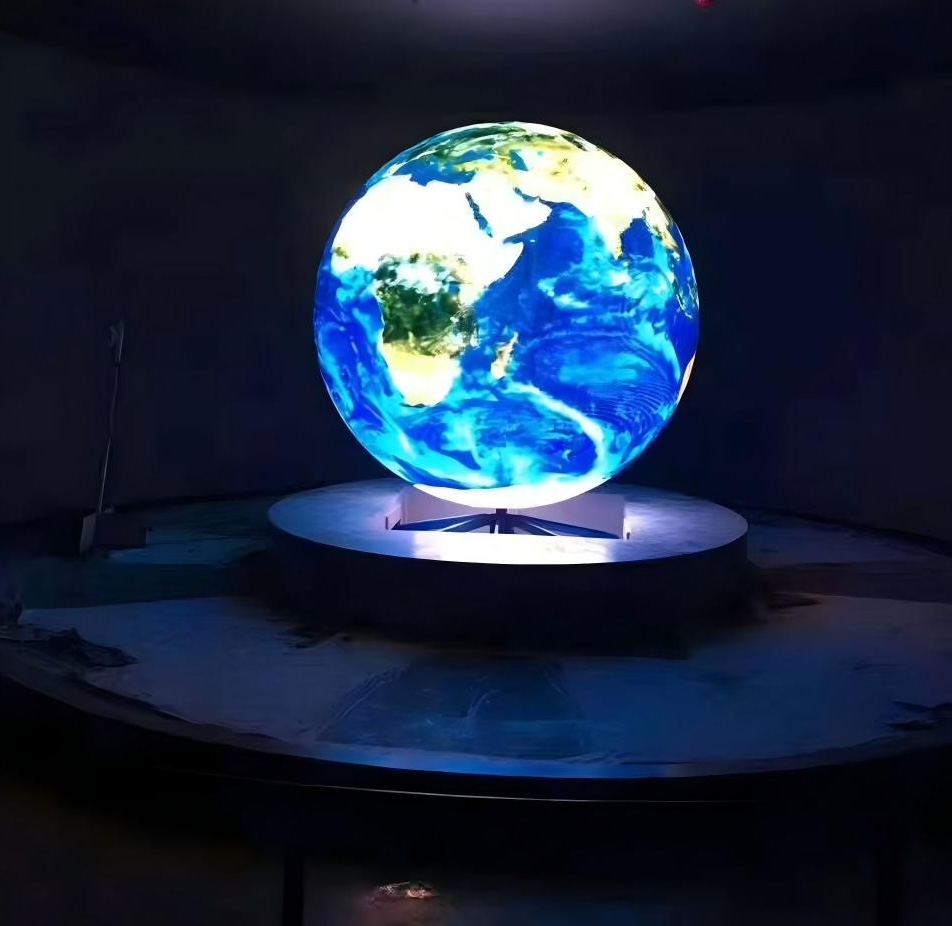
An LED dome puts the audience inside the picture, looking up at a curved ceiling of light; an LED sphere puts the audience outside the picture, walking around a glowing ball. Both are fully custom-built to the project — there is no standard size, pixel pitch or brightness for either — but they are two different purchases, with different structures, content and viewing logic. Choose the form by where the audience stands, not by which one looks more spectacular in a photograph.
What Is an LED Dome?
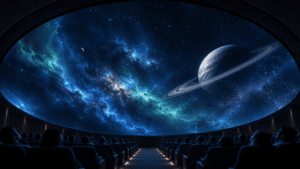
An LED dome is a curved LED display that forms all or part of a ceiling over the audience. Viewers sit or stand beneath it and look up and around: the image surrounds them on every side, and the edges of the screen disappear from view. That is why domes are used where the goal is immersion — a planetarium show, a flying-theater ride, a science museum’s immersive room, a simulation environment. Domes are available for indoor and outdoor use.
A dome is a room, not a screen on a wall. Its six parts are designed together as one system: LED panels, support structure, control system, power supply, cooling system and audio system. The structure carries the weight and holds the curve; the cooling keeps the enclosed space comfortable; the audio is part of the picture, because sound in a dome has to come from the right direction just as it does in a theater. Change one part and the others move with it — a larger dome needs a stronger structure, more power and more cooling, and the content has to be made for a curved ceiling rather than a flat rectangle.
What Is an LED Sphere?
An LED sphere is a ball-shaped display that the audience views from the outside. People walk around it, see it from every direction, and read it as an object in the space — a globe, a planet, a landmark. Where a dome hides the audience inside the image, a sphere makes the image itself the attraction in a lobby, an atrium, a plaza or an exhibition hall.
The best-known example is the LED sphere Durway built for the Legacy Center in San Diego: a 28-foot-diameter sphere with 10K horizontal resolution, a 2.5 mm pixel pitch and 1,500 nits of brightness. Those figures belong to that one project — they are the case parameters, not a standard specification. Every sphere is custom: the diameter, the pixel pitch, the brightness and the mounting are set per project and confirmed on inquiry.
A sphere has its own engineering logic. It must be supported — suspended from above or carried on a floor-standing structure — and the support has to be planned with the building, not added afterwards. The content is mapped onto a ball, so flat video has to be reworked for a spherical surface. And because a sphere is seen from all sides at once, there is no “back” of the screen to hide cables, power and access behind; service access has to be designed into the structure from the start.
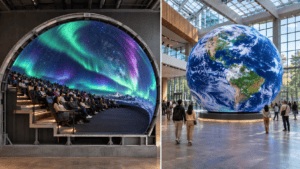
[IMAGE: LED dome over a seated audience and LED sphere in an atrium, showing the inside-versus-outside viewing difference — owner to add]
How Do a Dome and a Sphere Compare?
The two forms look related — both are curved, both are immersive, both are custom — but the buying decision runs in opposite directions.
| Decision point | LED dome | LED sphere |
|---|---|---|
| Where the audience stands | Inside, beneath the screen, looking up and around | Outside, walking around the object, looking at it |
| What the audience feels | Immersion — surrounded by the image | Landmark — the image is an object in the space |
| Typical venues | Planetariums, science museums, flying theaters, simulators | Lobbies, atriums, plazas, exhibition halls, retail flagships |
| Viewing | 360-degree surround from a seated or standing position inside | 360-degree viewing from every approach route outside |
| Structure | Support structure carries a curved ceiling over the audience | Suspension or floor-standing support carries a ball in open space |
| Content | Made for a curved ceiling; the audience looks up | Mapped onto a sphere; flat video must be reworked |
| Audio | Part of the system — sound must match the image direction | Usually separate; the sphere is a visual object, not a listening room |
| Size logic | Set by the room: ceiling height, seating area, sightlines | Set by the space: floor area, viewing distance, ceiling height |
| Standard specification | None — fully custom per project | None — fully custom per project |
| Acoustic-transparent option | Available, diameters from 1 m to over 20 m, pixel pitches from 1.5 mm | Available, diameters from 1 m to over 20 m, pixel pitches from 1.5 mm |
The row that matters most is the first one. If the audience is meant to sit inside the picture, you need a dome. If the audience is meant to walk around the picture, you need a sphere. Everything else — structure, content, audio, budget — follows from that single choice.
Which Venues Fit a Dome?
A dome fits where the experience is the point and the audience stays in one place for the length of a show. Planetariums are the clearest case: the audience sits in the dark, looks up, and expects the sky to move above them. Science museums use domes for immersive rooms where a group watches a shared story unfold overhead. Flying theaters put the audience inside a curved screen and move them through it. Training simulators use domes and curved LED walls to wrap trainees in a scene that has to feel real from every angle.
Planning a dome starts from the room, not from the screen. The seating area fixes how wide the dome must be; the ceiling height fixes how steep the curve can be; the audience’s sightlines fix where the image starts and ends. Content, audio, cooling and power are decided at the same time as the structure — a dome is one system, and the drawing stage is where the decisions belong. For a fuller walk-through of that planning process, see our guide to LED domes for science museums and planetariums.
Which Venues Fit a Sphere?
A sphere fits where the display has to work as a landmark — a single object that people notice from across a room and walk towards. A museum atrium, a corporate lobby, a shopping-mall centre court, an exhibition hall entrance: in each case the sphere does the job of a sign, a sculpture and a screen at the same time, and it is visible from every approach route.
The Legacy Center sphere in San Diego shows what a sphere can do at scale: 28 feet across, 10K horizontal resolution, a 2.5 mm pixel pitch and 1,500 nits — a globe big enough to read from the far side of the hall and bright enough to hold its image in a lit public space. Again, those are the parameters of that one project, not a catalogue specification. A smaller sphere in a retail flagship would be designed to a different diameter, pitch and brightness, because the viewing distance and the ambient light are different.
What Do Dome and Sphere Projects Have in Common?
For all their differences, dome and sphere projects share the same discipline — and the same traps. Both are built to a colour gamut of greater than 99% DCI-P3.
There is no standard specification. Neither a dome nor a sphere has a catalogue size, pitch or brightness. The diameter, pixel pitch, brightness, resolution and mounting are designed for the venue and confirmed on inquiry. Any supplier who quotes a “standard dome” or a “standard sphere” is quoting a shape, not a product. Ask instead what the design process is: how the structure is engineered, how the content is mapped, how the screen is serviced.
Structure comes first. A dome hangs over people; a sphere hangs or stands in open space. Both need a support structure engineered with the building — loads, fixing points, access routes — and that engineering has to happen before the LED panels are ordered, not after.
Content is part of the purchase. Flat video does not transfer to a dome ceiling or a spherical surface without rework. The project should include a content plan — who makes it, in what format, at what resolution — from the start.
Service access is designed in, not added on. A dome’s panels sit overhead; a sphere’s panels sit on all sides. Both need a plan for reaching a module and replacing it without closing the venue for a week. Ask how maintenance works before you sign, not after the first module fails.
Step-by-Step Checklist: Dome or Sphere?
- Fix where the audience stands. Inside the picture, looking up — dome. Outside the picture, walking around it — sphere. If the answer is unclear, the project is not ready to specify.
- Measure the space, not the screen. For a dome: seating area, ceiling height, sightlines. For a sphere: floor area, viewing distance from every approach route, ceiling height and fixing points.
- Decide what the display must do. A shared show for a seated audience, or a landmark that works from every direction? The answer sets the form, the content and the audio.
- Plan the structure with the building. Bring a structural engineer in early: loads, suspension or floor-standing support, access for installation and for later service.
- Plan the content for the shape. Dome content is made for a curved ceiling; sphere content is mapped onto a ball. Confirm who produces it and in what format.
- Decide the audio together with the screen. A dome’s audio is part of the system; a sphere usually pairs with separate sound. If the dome needs speakers behind the display, confirm the acoustic-transparent option early — available from 1 m to over 20 m in diameter, at pixel pitches from 1.5 mm.
- Confirm power, cooling and control. The six parts of the system — LED panels, support structure, control system, power supply, cooling system, audio system — are specified together. NovaStar is the default control system, with other brands fitted per customer request; no controller model is promised in advance.
- Ask how it is serviced. Who reaches a panel overhead or on the far side of a ball, how fast, and what spares are held? Get the answer in writing before the order.
- Confirm the case evidence. Ask for named projects with real parameters — like the 28-foot Legacy Center sphere — and treat any figure without a project name as a claim, not a fact.
Frequently Asked Questions
Can I buy a standard LED dome or sphere off the shelf?
No. Domes and spheres have no standard specification: diameter, pixel pitch, brightness, resolution and mounting are designed per project and confirmed on inquiry. What you buy is a custom system, engineered for your venue.
How big can a dome or sphere be?
Acoustic-transparent domes and spheres are available from 1 m to over 20 m in diameter. Beyond that, size is set by the venue — the room, the structure and the viewing distance — and confirmed during design. There is no catalogue maximum.
Can a dome or sphere let sound through?
Yes. Acoustic-transparent domes and spheres are available from 1 m to over 20 m in diameter, at pixel pitches from 1.5 mm. The open-area percentage is confirmed per project.
What holds a dome or sphere up?
A support structure engineered with the building — loads, fixing points and access routes are part of the design. A sphere is suspended from above or carried on a floor-standing structure; a dome’s structure carries a curved ceiling over the audience.
How long does a dome or sphere last?
Durability is 8–10 years, with a typical warranty of 2–5 years. The exact service plan is set per project, with spares, inspection and support agreed before installation.
Start With the Audience, Not the Shape
A dome and a sphere are not two sizes of the same product. They are two answers to two different questions: do you want the audience inside the picture, or walking around it? Answer that first, and the structure, the content, the audio and the budget fall into place. Answer it last, and you risk buying a beautiful object for the wrong room.
Measure the space, plan the structure and the content together, and ask for named projects with real parameters before you commit. The screen is the visible part — but the venue, the structure and the content are what make it work.
We turn clients’ concepts into reality. For specifications, quotations and project advice, contact Durway at info@durway.com.