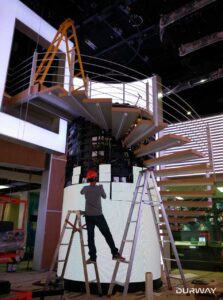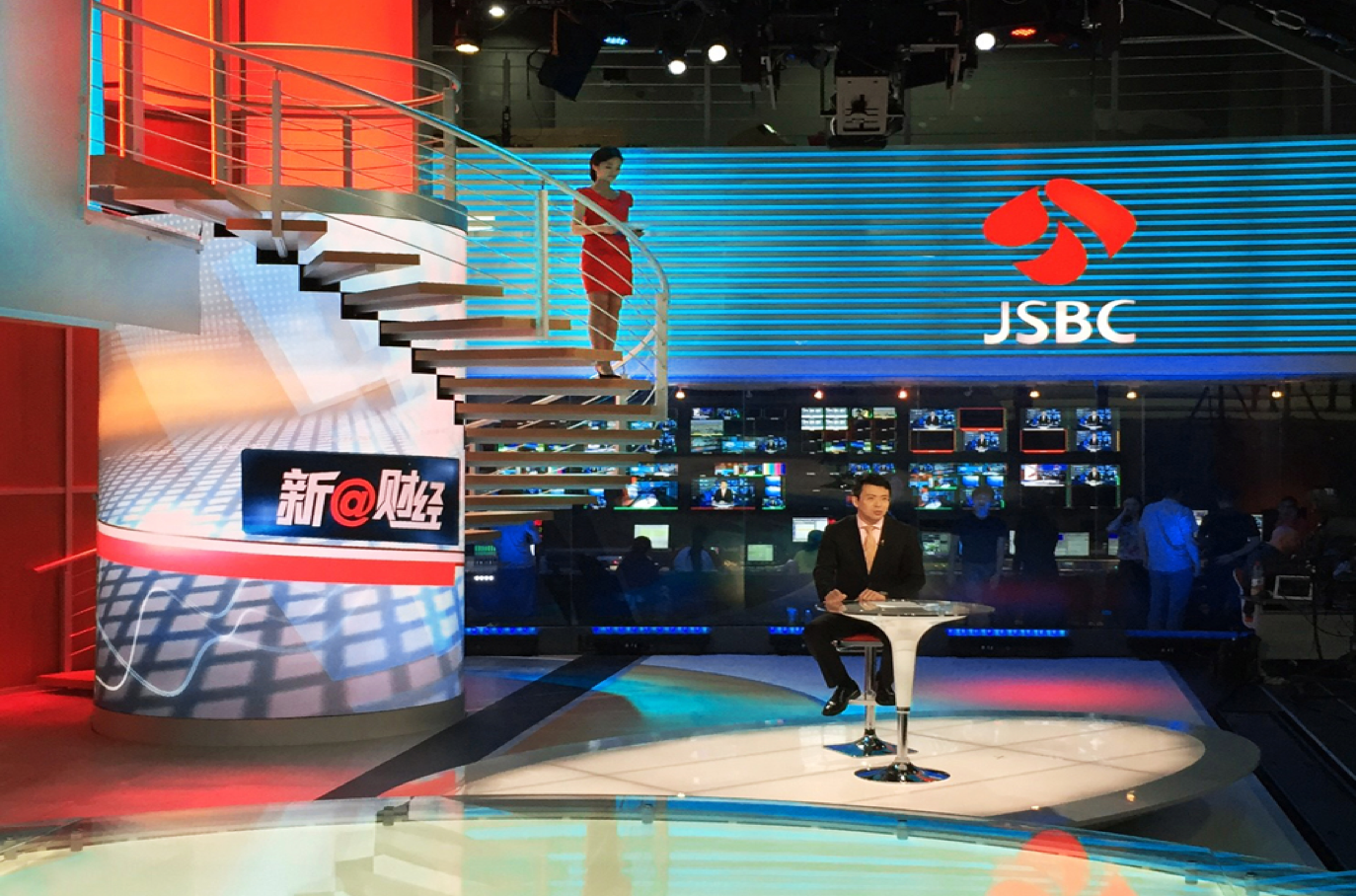
Every shopping mall, airport and hotel lobby has columns it cannot remove — load-bearing structure standing in the most valuable sightlines in the building. A column-wrap LED display turns that dead structure into a screen: flexible LED modules wrap around the pillar and play video 360 degrees, so the column becomes a landmark instead of an obstacle. This article explains how to choose the module, size the screen to the viewing distance, check the structure before ordering, and install and maintain a wrap that stays seamless. The reference product is the IFlexPro flexible LED screen, built from magnetic flexible modules designed for curved surfaces.
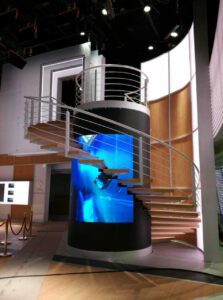
Why Wrap a Column Instead of Hanging a Flat Screen?
A flat LED wall needs a wall. A column already stands where people look — at atrium centres, corridor junctions, entrance plazas and the middle of the retail floor. Until recently that surface could only carry a printed banner, which nobody photographs and nobody updates. Wrapping it in LED changes the economics of the space without changing the building: the real estate already exists, only the surface technology changes.
The wrap also solves a viewing problem flat screens cannot. A flat wall has one good viewing angle; a column screen is visible from every approach route. In a mall atrium, visitors arrive from four directions at once, and a 360-degree surface speaks to all of them. The same logic applies in airports, hotel lobbies, exhibition halls and museums: anywhere people move around a pillar rather than standing in front of a wall, the column is the better screen. The limit is that a column wrap is a brand and wayfinding surface, not a presentation screen — nobody stands in front of a pillar to read a spreadsheet. If the job is detailed text at close range, a flat wall is the right answer; if the job is to make a structural element unmissable, the wrap wins.
Four Ways to Wrap a Column
Not every pillar is round, and the wrap follows the pillar, not the other way round. The four common forms cover almost every building:
| Wrap form | Fits | What it does well | What to watch |
|---|---|---|---|
| Full cylinder | Round pillars and columns | A smooth 360-degree surface with no dead angle; the classic landmark | The curve must be even all round — an out-of-round column shows in the picture |
| Square column | Square and rectangular pillars | Four flat faces, easy content layout, simple structure | Corners need precise alignment or the seam shows; content must be split across faces |
| 90-degree corner | Building corners and square pillar edges | A clean corner display with no visible gap at the edge | Splicing and calibration at the corner decide whether the picture reads as one surface |
| Partial wrap | A pillar against a wall, or a column that only faces one direction | Screen where the audience is, structure left bare where nobody looks | The exposed edge needs a finished trim, or the installation looks unfinished |
The choice is made from the pillar, not from a catalogue. Measure the column first — diameter or face width, height, whether it is truly round or slightly oval, and whether services, pipes or a fire hose reel sit on its surface. A wrap designed for a perfect cylinder will not fit a column that is 20 mm out of round, and discovering that on site is the most expensive lesson in this product category. For the broader flexible-display range, see our custom flexible LED display guide.
Choosing the Module: What IFlexPro Offers
A column wrap is built from flexible LED modules, and the module decides what the finished screen can do. IFlexPro modules bend to follow the column’s curve, mount magnetically, and are serviced from the front or the rear. The range covers fine to medium pitches, so the same product family serves a close-viewed lobby pillar and a distant atrium column:
| Module family | Pixel pitch | Module size | Module weight | Brightness | Refresh rate |
|---|---|---|---|---|---|
| IFlexPro 288 × 144 | 1.25 / 1.5625 / 1.875 mm | 288 × 144 mm | 0.4 kg | 800–1,200 nits | 1,920–3,840 Hz |
| IFlexPro 300 × 168.75 | 0.93 / 1.25 / 1.5625 / 1.875 mm | 300 × 168.75 mm | 0.5 kg | 800–1,200 nits | 1,920–3,840 Hz |
| IFlexPro 400 × 300 | 1.25 / 1.5625 / 1.875 / 2.5 / 3.125 mm | 400 × 300 mm | 1.15–1.25 kg | 800–1,200 nits | 1,920–3,840 Hz |
Three properties of that table matter more than the rest. First, weight: at 0.4–0.5 kg per module, the fine-pitch families add little load to the column, which matters when the wrap is hung from a structure that was never designed to carry a screen. Second, brightness: 800–1,200 nits is an indoor figure, matched to lit interiors rather than daylight — a column in a sunlit atrium needs its brightness confirmed against the actual light at the site, not against a datasheet. Third, refresh: 1,920–3,840 Hz with frame rates of 59.94, 60 or 120 Hz keeps the picture clean on camera, which matters when the column is a backdrop for social video. The picture holds a 160-degree viewing angle and a 5,000:1 contrast ratio, with 16-bit grayscale, a colour temperature adjustable from 2,600 to 9,500 K, and a colour gamut of over 99% DCI-P3.
One caution on the table: the achievable bend depends on the module and the column radius together. A small-diameter pillar curves more sharply than a large one, and the minimum radius is confirmed per project from the column’s actual dimensions — do not assume every pitch wraps every diameter.
Viewing Distance Decides the Pitch
The most common mistake in column wraps is buying the finest pitch available. Pitch is a viewing-distance decision, and a column is usually viewed from farther away than a flat wall: people walk past it at two to six metres, not stand a metre from it reading text.
Use this as the working rule: the closer the audience, the finer the pitch. A hotel lobby pillar that guests pass within arm’s reach needs a fine pitch — 1.25 or 1.5625 mm — so text and faces stay sharp at close range. A mall atrium column viewed from across the floor works at 1.875 mm. A tall airport column seen from ten metres away can use 2.5 or 3.125 mm without any visible loss. Finer pitch means more pixels per square metre, and that costs more while adding nothing the audience can see from their actual position.
Brightness follows the same logic: match it to the room, not to the maximum. A column in a dim hotel lobby does not need the same brightness as one under a glass atrium roof. Over-bright screens in dark rooms are uncomfortable to look at and waste power — size the circuit on the maximum (650 W/m² distribution; 135 W/m² average) and set the brightness for the room.
Structure First: The Survey Checklist
A column wrap is a structure project with a screen on it, and the wrap must be engineered around what is already there. Before ordering, confirm these eight points with the building’s drawings and a site visit:
- Column dimensions, measured not assumed. Diameter or face widths at several heights, total height, and how far out of round or out of plumb the column is. Structural columns are rarely as perfect as their drawings.
- Load capacity. The wrap’s weight, its mounting frame and the dynamic load of installation all land on the column or the floor around it. Confirm what the structure can carry.
- What lives on the column. Pipes, conduits, fire equipment, sensors and access panels must be found before the frame is designed, not after it is built.
- Power and signal routes. Where mains power reaches the column, where the controller and power supplies sit, and how data cabling runs without crossing a public walkway.
- The floor and ceiling. A floor-standing wrap needs a level base and a fixing that does not damage the finish; a suspended wrap needs ceiling steel rated for the load.
- Viewing positions. Mark where people actually stand — entrances, escalator landings, seating — and confirm the pitch against the closest of those, not the farthest.
- Maintenance access. Decide now whether modules are serviced from the front or the rear. Front access needs no corridor behind the screen; rear access needs space that a column against a wall may not have.
- Fire and building rules. Confirm the local requirements for electrical installations on structural elements before the design is frozen, and raise structural, electrical and fire questions early rather than at handover.
NovaStar is the default control system for the wall, with other brands fitted per customer request — confirm the controller against the media player and the content format before ordering, since a 360-degree screen needs content mapped to a cylinder, not a flat rectangle.
Installing a Column Wrap, Step by Step
A typical installation runs in this order, and skipping a step is what creates the visible seam or the module that never sits flat:
- Survey and drawing. Measure the column, confirm the module and pitch, and produce a mounting drawing that shows the frame, the module layout and the power and data routes.
- Frame first. Build and fix the mounting frame to the column, and check it for roundness and level before a single module goes on. The frame is the picture: if it is not true, the screen will not be.
- Power and data. Run power supplies and data cabling to the frame, and confirm the supplies sit where they can be reached for service. IFlexPro uses low-voltage remote power arrangements in its flexible installations — confirm the exact layout for the project.
- Modules bottom-up. Mount the magnetic modules from the bottom up, checking the seam as each ring closes. Magnetic mounting makes a module swap fast, but only if the frame underneath is true.
- Calibration and mapping. Calibrate brightness and colour across the full 360 degrees, then map the content to the cylinder so a single image wraps without a visible join.
- Acceptance from every side. Walk the full circle: check text and faces from the closest viewing position on each approach route, and check the seam at the join. A wrap that looks perfect from the front and fails from the back is not finished.
For how flexible modules handle curved surfaces generally, see how flexible LED modules are installed, and for curved backdrops that work on camera, see flexible LED displays for broadcast studios.
Content That Works on 360 Degrees
A column has no front, so content made for a flat screen fails on it. Three rules keep the wrap readable:
- One message per rotation. A passer-by sees only a third of the surface at a time. Put one idea, one product or one brand mark on each face of the rotation, and let the cylinder carry a sequence rather than a single flat layout.
- Big type, slow movement. Text must read from several metres while the viewer is walking. Short words, high contrast, and movement slow enough to follow around the curve.
- Design for the seam. The join where the wrap closes is a real line in the content canvas. Keep faces, logos and prices away from it, and test the loop on the actual cylinder before it goes live.
Content is supplied by the client or the client’s content team, and the media workflow — format, resolution, mapping — should be agreed at order stage, not discovered at first playback.
Maintenance and Spares
A column wrap lives in public space, so it gets touched, bumped and leaned on. Plan for that from the start: magnetic modules mean a damaged module can be swapped from the front without dismantling the wrap, but only if spare modules were ordered with the project. Hold spares in the same pitch and production batch as the installed screen, or a replacement module will show as a brighter or warmer patch.
Routine care is simple: keep the surface clean, check the frame fixings on schedule, and recalibrate after any module swap. The modules are rated for 100,000 hours of LED lifetime, and the typical warranty is 2–3 years.
Column-Wrap LED Displays — FAQ
Can any column be wrapped? Almost any round, square or rectangular column can be wrapped, but the design starts from the column’s measured dimensions. Out-of-round columns, columns with services on the surface, and columns against a wall each need a different approach, confirmed from drawings and a site visit.
What is the smallest diameter a wrap can handle? That depends on the module’s bend capability and the column radius together. There is no single catalogue minimum: send the column diameter and let the supplier confirm which module family fits it.
How is content shown on all sides at once? The controller maps one video canvas onto the cylinder, so the same content wraps 360 degrees — or different content can be assigned to different faces of the column. The mapping is set up at commissioning.
The Column Is Already There — Use It
A structural column is the most expensive surface in the building to create and the cheapest to waste. Wrapping it in LED does not add floor area, does not block a walkway and does not need a new wall — it takes a surface the building already paid for and makes it the landmark people navigate by. Get the survey right, match the pitch to the closest viewer, build the frame true, and the column stops being an obstacle and starts being the screen.
We turn clients’ concepts into reality. For specifications, quotations and project advice, contact Durway at info@durway.com.