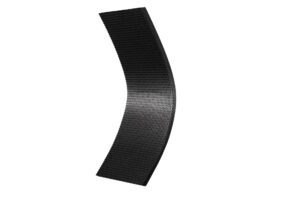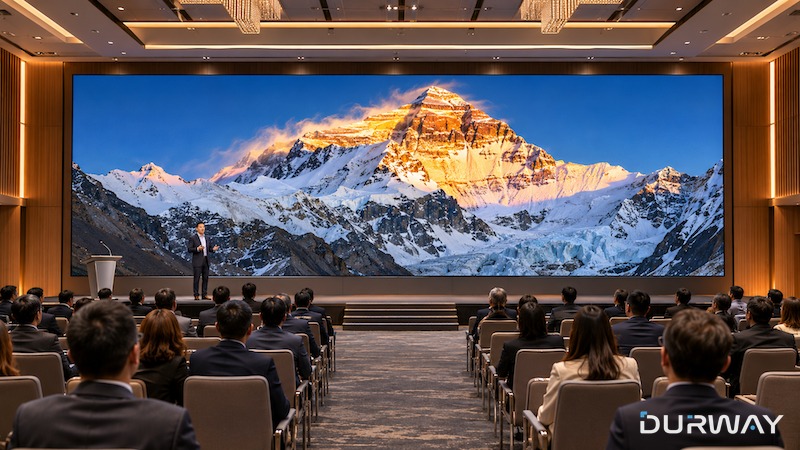
In short: A COB LED video wall is a fine-pitch indoor display built from cabinets — on Durway’s VistaPro range, 600 × 337.5 mm die-cast aluminium cabinets at 0.78, 0.93, 1.25 or 1.56 mm pixel pitch, all serviced from the front. Most specification questions come down to four things: the pitch (chosen from the closest viewing distance), the cabinet grid (which sets the finished size and resolution), the installation method (wall-mounted, recessed or floor-standing), and front maintenance (which removes the need for rear access). The questions below are the ones buyers ask us most, answered from the published VistaPro specification.

What pixel pitch for a COB LED wall should I choose?
Choose from the closest viewing distance, not from the size of the wall. The nearer the closest viewer, the finer the pitch needs to be for the image to hold together. The four VistaPro pitches share the same cabinet, so the choice changes resolution, not format:
| Pixel pitch | Resolution per cabinet | Typical use |
|---|---|---|
| 0.78 mm | 768 × 432 | Closest viewing — control rooms, detail-critical boardrooms |
| 0.93 mm | 640 × 360 | Close viewing — meeting rooms, corporate lobbies |
| 1.25 mm | 480 × 270 | General corporate and retail walls at a few metres |
| 1.56 mm | 384 × 216 | Larger walls where the audience stays further back |
As a working method: find the nearest seat or standing position, then take the finest pitch the budget allows for that distance. Going finer than the room needs buys resolution nobody can see; going coarser is the one mistake that cannot be corrected after installation.
What size is a COB cabinet, and how is the wall size worked out?
A VistaPro cabinet is 600 × 337.5 mm — exactly 16:9 — and weighs 5.5 kg in die-cast aluminium. The finished wall is a grid of cabinets, so overall size and total resolution are simply the grid multiplied out: a 5 × 5 cabinet wall, for example, is 3,000 × 1,687.5 mm and carries the summed resolution of its 25 cabinets. Because the cabinet itself is 16:9, standard video formats map onto common grid sizes without cropping or scaling compromises.
How is a COB LED video wall installed?
Three methods cover most projects: wall-mounted on a supporting frame, recessed into joinery or a wall niche for a flush finish, and floor-standing on a structure where the wall behind cannot carry the load. Which one applies is a structural question about the room, and it is settled at drawing stage — the frame, the load path and the cable routes all follow from it. Durway’s delivery covers on-site assessment, installation, and training for the client’s staff.
What does front maintenance actually mean?
Every VistaPro cabinet and module is accessed from the viewing side. If a module needs attention, it is removed and replaced from the front access — the wall does not come down, and no service corridor is needed behind it. This matters most for recessed and wall-mounted installations, where rear access does not exist. Front maintenance should be stated in the enquiry, because it also shapes the spare-parts list agreed at order stage. Durway’s after-sales service includes spare parts, remote diagnostics and on-site support.
How bright is a COB wall — will it work in a bright lobby?
VistaPro brightness is 1000–3500 nits, with an adjustable colour temperature of 2,600–9,500 K, a contrast ratio of 5,000–20,000:1 and a 160° viewing angle. That range is specified for indoor environments including daylit lobbies and retail spaces; the matt COB surface helps here, because it absorbs ambient light rather than scattering it back at the viewer, so the black level — and with it the perceived contrast — holds up in a bright room.
What refresh rate does it run, and why does it matter?
At least 3,840 Hz up to 7680Hz, with 16 bit colour depth. Refresh rate is invisible to the naked eye in normal viewing, but it decides how the wall behaves on camera: a high refresh rate avoids the flicker and banding that appear when a screen is filmed for broadcast, recording or video conferencing. If the wall will ever be photographed or streamed, this figure matters as much as the pitch.
How much power does a COB video wall use?
VistaPro’s maximum power consumption is 300 W/m² and its average is 215 W/m², on a 100–240 VAC supply with energy -saving technology. For a facilities estimate, multiply the average figure by the wall area and the daily running hours — and note that real consumption follows the content, since an LED wall only draws full power at full brightness across the whole surface.
Which control system does it use, and what certification does it carry?
Durway supplies NovaStar control as the default; other ecosystems such as Colorlight or Brompton can be fitted to the client’s requirements, confirmed at proposal stage against the project’s existing infrastructure. The VistaPro range carries TUV-CE, ETL, FCC and CCC certification, which should be matched against the destination market’s requirements when the enquiry is placed. Colour performance is specified at company level as greater than 99% of the DCI-P3 gamut.
How to specify a COB LED video wall, step by step
Step 1 — Measure the room. Record the finished wall size available and the closest and typical viewing distances.
Step 2 — Set the pitch from the nearest viewer. Use the table above; confirm the resulting total resolution against the content that will actually play.
Step 3 — Choose the installation method. Wall-mounted, recessed or floor-standing, based on the structure — and state front maintenance explicitly.
Step 4 — Confirm the system around the wall. Control system, power provision and the spare-parts list are agreed in the proposal, before production.
Durway designs and manufactures COB/MIP fine-pitch video walls for rooms where viewers stand close and the display has to stay flawless. We turn clients’ concepts into reality. For a specification or a project discussion, contact us at info@durway.com.